
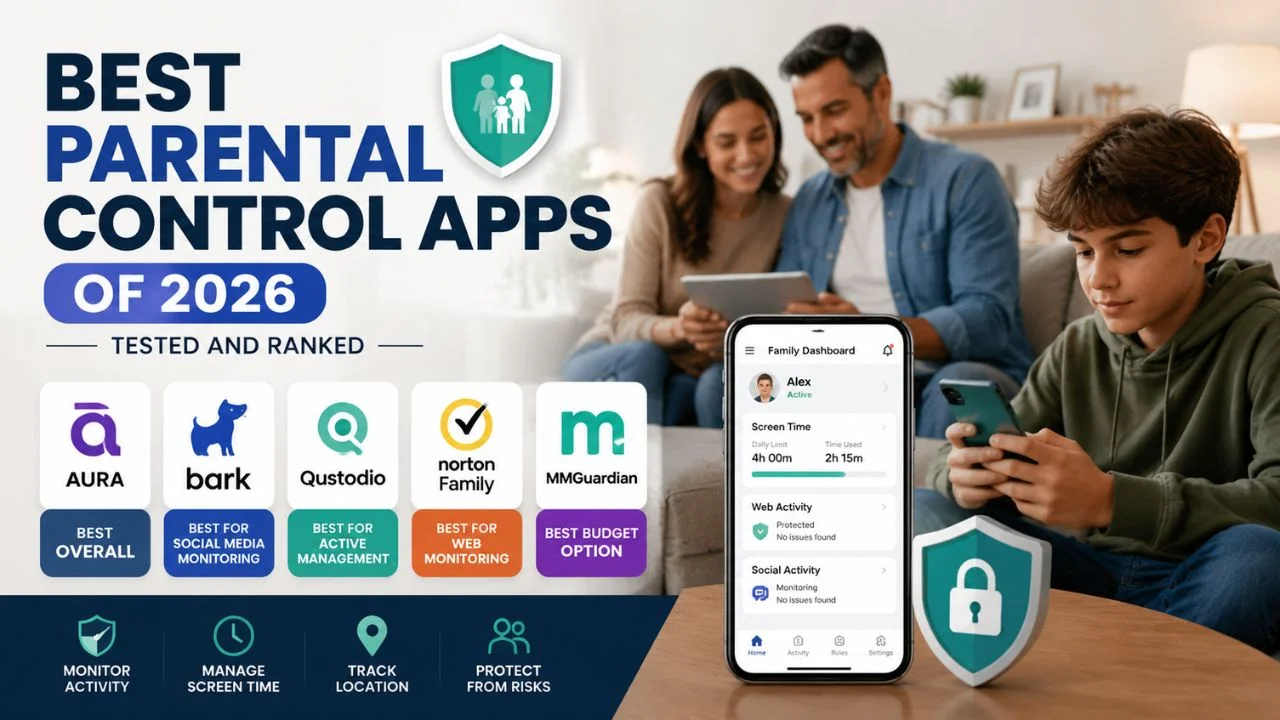
Here is something most comparison articles won’t tell you upfront: no parental control app is a substitute for conversation. The best app in the world can be bypassed by a determined teenager with a second device, a VPN, or a friend’s phone.
That said — 55% of Americans say parental controls and monitoring are the best way to protect minors online — and when used as part of an active, involved parenting approach, the right app genuinely makes a difference. It extends your visibility, creates natural conversation starters, and catches risks before they escalate.
The challenge is choosing one. The market now has dozens of parental control apps, each with different philosophies, different strengths, and pricing that ranges from free to over $100 a year. This guide cuts through the noise and gives you the honest, research-backed verdict on the apps that actually matter in 2026.
How We Evaluated These Apps
Every app in this guide was evaluated across the same criteria:
- Monitoring accuracy — does it actually catch what it claims to catch?
- Ease of setup and use — can a non-technical parent use it confidently?
- Platform coverage — iOS, Android, Windows, Mac, Chromebook
- Privacy balance — does it inform without becoming surveillance?
- Value for money — what do you actually get at each price tier?
- Social media coverage — critical in 2026 given where most risks occur
The Top 5 Parental Control Apps of 2026
🥇 1. Aura — Best Overall
Best for: Families with teens | Price: From ~$14.99/month (family plan) | Platforms: iOS, Android, Windows, Mac
Aura positions itself as an all-in-one family digital safety platform — combining parental controls with identity protection, antivirus, VPN, and dark web monitoring for the whole family. For parents who want one subscription that covers both their child’s safety and the family’s broader digital security, nothing else comes close.
What makes Aura stand out in 2026:
- Aura Balance — a mood-profiling feature that gives parents a picture of their child’s digital emotional patterns — not by reading messages, but by analyzing tone, timing, and behavioral signals. It is one of the most genuinely innovative features in this space.
- Safe Gaming monitoring — covers Discord and gaming platforms that most parental controls ignore entirely
- Content filtering worked reliably in independent testing, screen time tools offer per-app granularity, and setup takes only minutes
- Alerts for cyberbullying and predatory contact patterns
What it lacks: Aura does not offer location tracking or direct monitoring of texts, calls, and emails — a meaningful gap if location visibility is a priority for your family.
Verdict: The strongest all-round option, particularly for parents of teenagers who want insight without heavy-handed surveillance.
👉 If you’re concerned about what your teen is doing on Discord specifically, our guide on is Discord safe for teenagers covers what Safe Gaming monitoring looks for.
2. Bark — Best for Social Media Monitoring
Best for: Older teens, social media-heavy users | Price: ~$14/month or $99/year (Bark Premium) | Platforms: iOS, Android, Windows, Mac, Chromebook
Bark focuses on monitoring and alerts — analyzing texts, email, web activity, and many popular social platforms to flag potential risks using AI. Rather than showing parents every message their child sends, Bark scans for patterns and only alerts when something genuinely concerning is detected — bullying language, signs of depression, sexual content, contact with strangers.
What makes Bark stand out in 2026:
- AI-powered monitoring that detects tone, patterns, and habits — without reading individual messages
- Covers gaming platforms like Discord — rare among parental control apps
- Location tracking and geo-fencing included
- Broad social media coverage — covers more platforms than almost any competitor
- Screen time management and app limits
What it lacks: Bark’s approach means parents see less day-to-day detail than apps like Qustodio. Some parents find the alert-only system too hands-off. There is no budget tier — Bark doesn’t have a comparable entry-level price point to Qustodio’s basic plan.
Verdict: The best choice for parents who want smart, AI-powered monitoring without reading every message — particularly for teens on multiple social platforms.
🥉 3. Qustodio — Best for Active Management and Younger Children
Best for: Younger children (6–12), hands-on parents | Price: Basic from ~$4.99/month (5 devices); Premium ~$8.33/month | Platforms: iOS, Android, Windows, Mac, Chromebook, Kindle
Qustodio is the most comprehensive parental control platform for active management — tracking every website visited, every app used with time-on-app breakdowns, blocking specific apps and sites, setting time limits by category, and generating detailed reports.
What makes Qustodio stand out in 2026:
- Granular web filtering — block by category, specific sites, or keywords
- Detailed activity reports — minute-by-minute visibility into what your child was doing and when
- YouTube monitoring — tracks searches and watched videos
- SOS alerts — child can send a panic alert to parent with one tap
- 30-day free trial with full premium access, no credit card required
- Strong cross-platform consistency
What it lacks: Some features including text message monitoring and advanced screen time scheduling require the premium plan. Social media monitoring is less deep than Bark’s. Qustodio’s functionality is stronger on Android — some detailed app monitoring is limited on iOS due to Apple’s platform restrictions.
Verdict: The strongest choice for parents of younger children who want detailed, structured control rather than just alerts. The 30-day free trial makes it easy to try without risk.
4. Norton Family — Best for Web Monitoring on a Budget
Best for: Budget-conscious families, web safety focus | Price: ~$49.99/year (up to unlimited devices) | Platforms: Windows, Android (limited iOS)
Norton Family offers reliable web filtering, content blocking, and real-time alerts at one of the lowest price points in this category. It lacks conversation monitoring — but for families whose primary concern is web content rather than social media messaging, it delivers strong value.
Strengths: Web content filtering, search supervision, location tracking, screen time by device, school time mode. Excellent price for unlimited devices.
Limitations: No social media message monitoring. iOS coverage is more limited than Android. No AI-driven behavioral insights.
Verdict: A solid, affordable starting point — particularly for younger children where web filtering matters most and social media isn’t yet the primary concern.
5. Google Family Link — Best Free Option
Best for: Families on a budget, Android households | Price: Free | Platforms: Android (primary), iOS (limited)
Google Family Link is built into Android and provides the essential toolkit at no cost: app approval, screen time limits, content filters on Google Search and Chrome, location tracking, and the ability to remotely lock a device. It integrates with YouTube Kids and Google Play age restrictions.
Strengths: Free, built-in, no subscription required, location tracking, app approval, and integrates with the Google ecosystem seamlessly.
Limitations: Social media monitoring is essentially absent. Only meaningful on Android. No AI monitoring or behavioral insights. Limited iOS functionality.
Verdict: The right starting point for any Android household — but not a complete solution for teenagers on social media.
Apple’s Screen Time (iPhone/iPad) is the equivalent built-in tool for iOS households — free, no download required, and covers app limits, content restrictions, and communication limits.
Side-by-Side Comparison
| App | Best For | Social Media | Location | Price/Month | Free Trial |
|---|---|---|---|---|---|
| Aura | Overall / teens | Behavioral insights | No | ~$14.99 | Yes |
| Bark | Social monitoring | Deep AI scanning | Yes | ~$14 | No |
| Qustodio | Young children | Limited | Yes | ~$4.99+ | 30 days |
| Norton Family | Web safety | No | Yes | ~$4.17 | Yes |
| Google Family Link | Android / free | No | Yes | Free | N/A |
Which App Is Right for Your Family?
Choose Aura if: Your teen is on Discord, gaming platforms, or multiple social apps — and you want safety insights without reading their messages. You also want identity protection for the whole family in one subscription.
Choose Bark if: Your teenager is active on social media and messaging apps, and you want AI to flag genuine risks without you having to scroll through their conversations manually.
Choose Qustodio if: Your child is under 12, you want detailed reports of exactly what they’re doing online, and you want hands-on control over every category of content and app.
Choose Norton Family if: Web content filtering is your primary concern and budget matters — especially for multiple devices.
Choose Google Family Link if: You have an Android household, your child is young, and you want the basics without paying for anything.
What Parental Control Apps Cannot Do
Be honest about the limitations before you invest:
- They cannot monitor a second device — a determined teenager with a friend’s phone or a school device bypasses all of it
- VPNs can circumvent content filters — Bark and Qustodio have partial VPN-blocking, but it is not foolproof
- They cannot replace conversation — apps catch things. They do not process them. That part is still yours.
- iOS limits what any app can see — Apple’s privacy architecture restricts third-party monitoring significantly compared to Android
- No app monitors end-to-end encrypted messages — WhatsApp, Signal, iMessage content is not visible to any parental control app
👉 For a full picture of the risks no app can fully address, read our guide on online predators in 2026: how they find children and how to protect yours.
The Bottom Line
The best parental control app is the one you actually set up and use — not the one with the most features sitting unreviewed in your app store purchases. Start with one app that fits your child’s age and your family’s priorities. Configure it properly. Check in on it weekly, not monthly. And use what it tells you as the start of a conversation, not as surveillance data.
For most families in 2026: Bark for teenagers on social media, Qustodio for children under 12, Aura if you want one subscription that covers both child safety and family digital security, and Google Family Link if you want free and functional on Android.